iOS 27 Introduces Independent Alarm Volume Control
Apple has updated iOS 27 to allow users to set alarm volumes independently from general system sounds, preventing accidental missed wake-up calls.
 📱Phones
Photo: 9to5mac.com
Key points
- New independent volume slider for Alarms and Timers
- Requires manual configuration in Settings > Sounds & Haptics
- Separates alarm volume from ringtone and system notification levels
With the release of iOS 27, Apple has addressed a long-standing user frustration regarding alarm reliability. Users can now configure alarm and timer volumes separately from the device's main ringtone and system alert levels, ensuring that wake-up calls remain audible even if other system sounds are turned down.
To access this feature, navigate to Settings, then Sounds & Haptics. By default, the system uses a 'Match Ringtone Volume' setting for all alerts. However, by disabling the toggle for Alarms and Timers, you gain access to a dedicated volume slider. This allows you to keep your alarm at maximum volume while maintaining a quieter, more moderate level for incoming calls and notifications.
Should you buy it? This update is a free software improvement for all compatible iPhone models running iOS 27, making it a highly recommended adjustment for anyone who has previously struggled with missed alarms due to volume synchronization issues.
Source 9to5mac.com — 9to5mac.com/2026/11/23/ios-27-gave-your-iphone-an-alarm-feature-thats-l… ↗
Read next
 📰Gadget News
Judge Orders Apple to Release Document Sample in Epic Games Dispute
A federal magistrate judge has mandated that Apple provide a sample of 3,200 documents to Epic Games following allegations of improper withholding of discovery materials.
 📰Gadget News
Meta Faces Legal Challenge Over Ray-Ban Smart Glasses in the Netherlands
Dutch consumer groups are seeking a ban on Meta’s AI-powered smart glasses, citing concerns over unauthorized recording and privacy violations.
 📰Gadget News
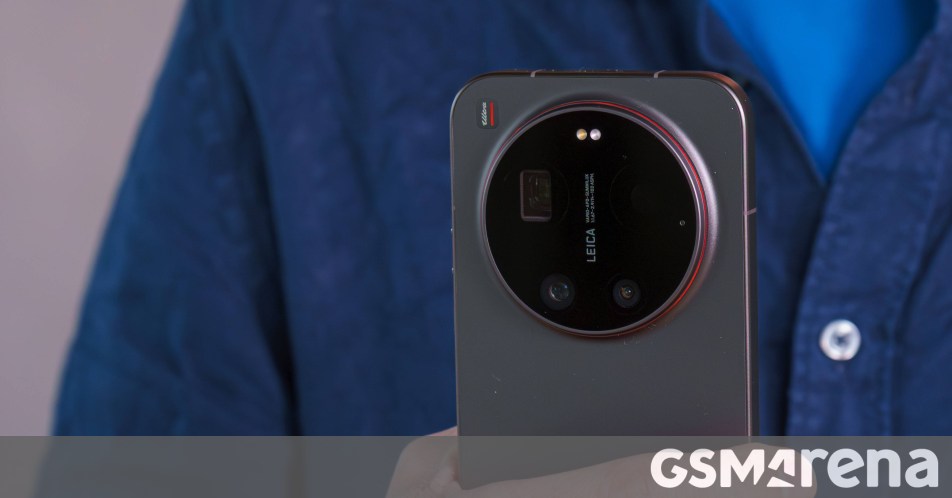
Xiaomi 17 Ultra Receives HyperOS 4 Update
The Xiaomi 17 Ultra is now receiving the HyperOS 4 update, introducing a refreshed design language and enhanced system performance.
 📰Gadget News
Ruko F11PRO 2 Plus Drone Discounted for Black Friday
Amazon has reduced the price of the Ruko F11PRO 2 Plus drone by $160, bringing the current cost down to $639.99.
 📰Gadget News
XPeng unveils IRON humanoid robot with plans for public launch by 2027
Electric vehicle manufacturer XPeng has introduced its new humanoid robot, IRON, targeting a commercial debut in 2027 with a price point comparable to an entry-level EV.
 📰Gadget News
OM System Expected to Upgrade Micro Four Thirds Sensor Technology
Reports suggest OM System is moving toward higher-resolution sensors for its Micro Four Thirds lineup, potentially reaching up to 100 megapixels.