How to Repurpose Your Old GoPro as a Dash Cam or Webcam
Discover how to give your retired action camera a second life by turning it into a reliable vehicle dash cam or a high-quality desktop webcam.
 🏠Smart Home
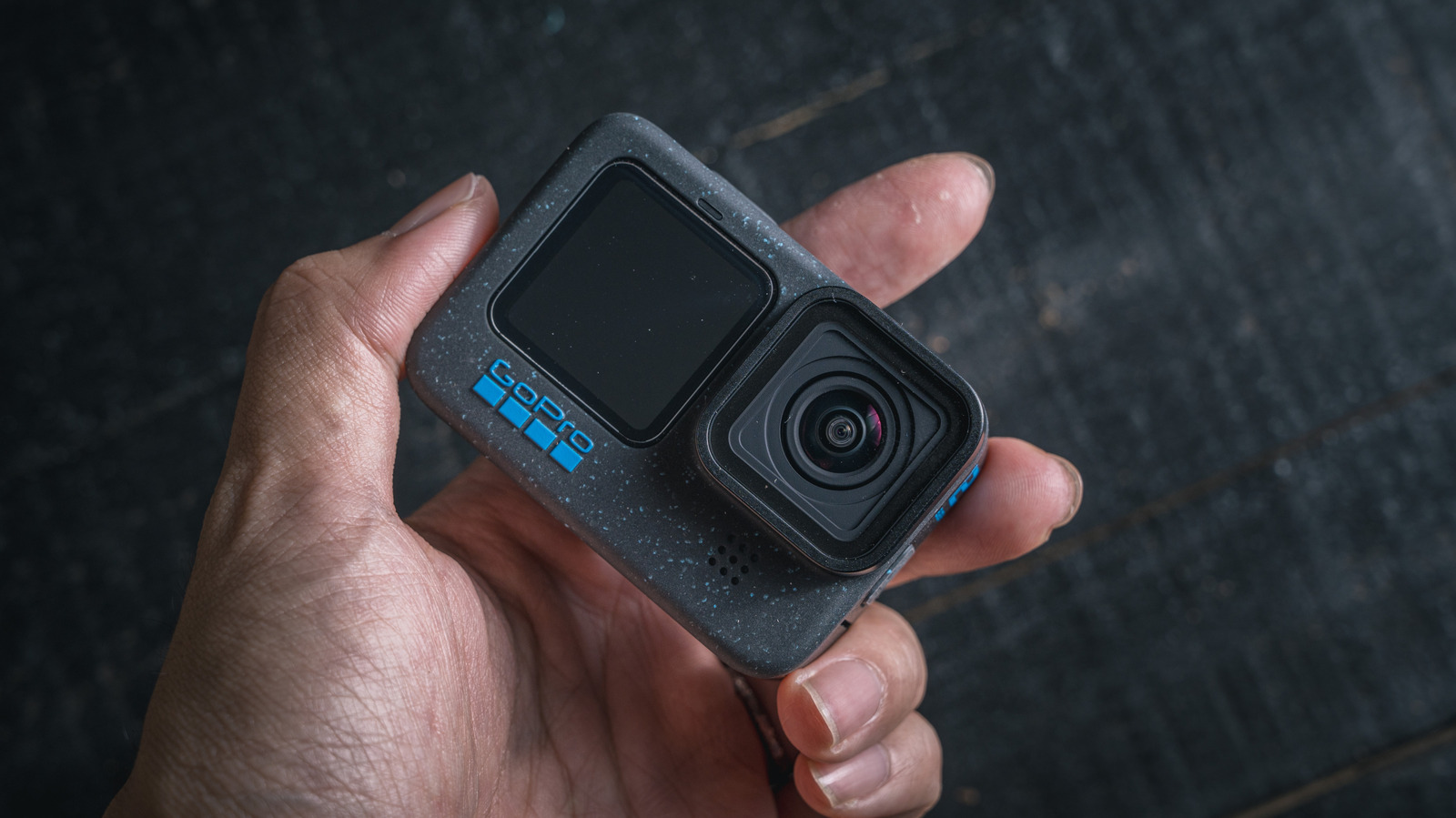
Photo: engadget.com
Key points
- Convert old action cameras into functional dash cams or webcams
- Utilize loop recording and USB power for continuous vehicle monitoring
- Connect via USB app or HDMI capture cards to improve video call quality
Action cameras are built to handle extreme environments, yet they frequently fall victim to the standard consumer upgrade cycle, leaving previous-generation devices forgotten in desk drawers. Because resale values for older models with tired batteries tend to be low, repurposing the hardware offers a practical alternative. Equipped with capable 1080p or 4K sensors, these legacy units excel in stationary roles where continuous USB power bypasses battery limitations entirely.
Transforming Your Camera Into a Dash Cam
Converting a retired action camera into an in-car security recorder requires little more than a windshield suction-cup mount and a reliable USB power source. To optimize the setup for driving, configure the resolution to 1080p at 30 frames per second or higher and activate the loop recording feature. Using a 64GB microSD card provides ample space for hours of footage, while automatic overwrite settings ensure the storage never fills up. Drivers of Hero 7 Black models and newer can even leverage GoPro Labs firmware to automate power-on and recording sequences whenever the device receives vehicle power.
Using Your GoPro as a Desktop Webcam
Alternatively, users can bypass substandard laptop built-in cameras by mounting their old action camera on a mini tripod for video calls. Models from the Hero 8 Black onward support a straightforward software connection via the official desktop app over USB. Older iterations, ranging from the Hero 4 through the Hero 7 Black, require a micro-HDMI cable paired with a USB capture card such as the Elgato Cam Link 4K. Because internal microphones are optimized for action sports rather than office calls, pairing the video feed with a dedicated microphone yields the best results.
Should you buy it? No purchase is necessary here, as utilizing existing hardware makes economic sense compared to buying a dedicated budget webcam or dash cam.
Source engadget.com — engadget.com/2319397/reuse-old-gopro-different-ways/ ↗
Read next
 📰Gadget News
XPeng unveils IRON humanoid robot with plans for public launch by 2027
Electric vehicle manufacturer XPeng has introduced its new humanoid robot, IRON, targeting a commercial debut in 2027 with a price point comparable to an entry-level EV.
 📰Gadget News
OM System Expected to Upgrade Micro Four Thirds Sensor Technology
Reports suggest OM System is moving toward higher-resolution sensors for its Micro Four Thirds lineup, potentially reaching up to 100 megapixels.
 📰Gadget News
Casio Expands Availability of Mesh-Band LA680 Vintage Watches
Casio has brought its refreshed LA680 vintage digital watch series to the Japanese market, featuring new stainless-steel mesh bands.
 📰Gadget News
Nvidia Reportedly Planning Further GPU Supply Reductions
Rumors suggest Nvidia may decrease gaming GPU shipments by up to 30% through early 2027, potentially driving up prices for consumers.
 📰Gadget News
WhatsApp to Integrate Travel eSIM Purchases Directly Within the App
WhatsApp is launching a new feature allowing users to buy and install international travel eSIMs without leaving the messaging platform.
 📰Gadget News
Seiko Launches 7th Philippine Limited Edition Prospex Chronograph
Seiko has unveiled the HBJ006P1, a new limited-edition Prospex chronograph inspired by the Pan-Philippine Highway.