How to enable USB charging on your PC while it is powered off
Many PCs feature hidden power settings that allow USB ports to charge mobile devices even when the computer is shut down. This guide explains how to identify and enable these capabilities.
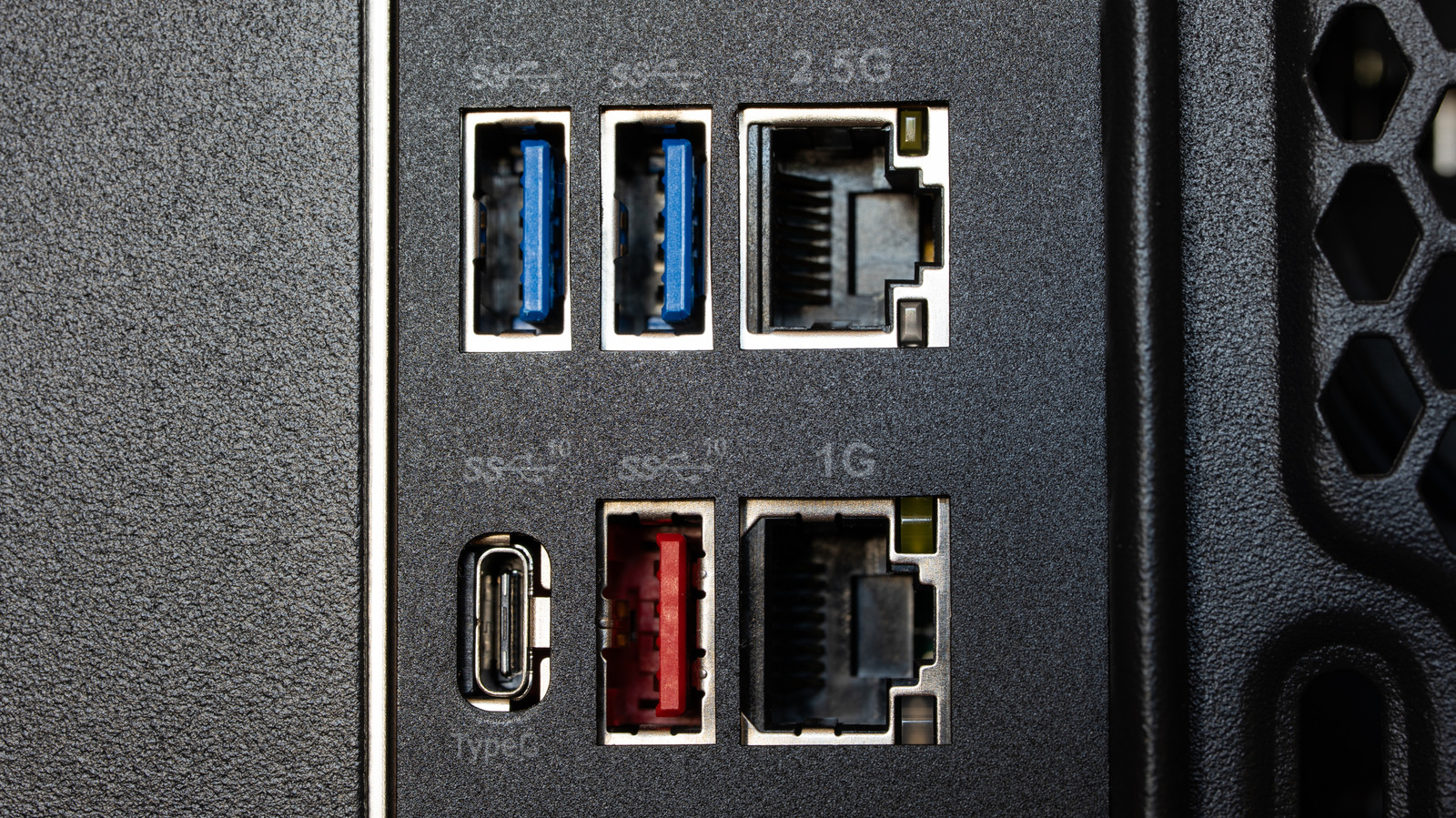 ⌚Wearables
Photo: engadget.com
Key points
- Check for specific port markings like lightning bolts or battery icons.
- Enable charging via BIOS/UEFI by adjusting power delivery settings.
- Disable ErP or Deep Sleep modes to prevent power-saving conflicts.
- Confirm if your specific hardware supports standby power before troubleshooting.
Many modern PCs include a feature that allows USB ports to continue supplying power to your smartphone or wearable devices even after the computer has been turned off. Manufacturers use various terms for this functionality, such as Lenovo's "Always On" or Dell's "PowerShare," while some systems simply indicate the capability with a lightning bolt or battery icon near the port.
To determine if your system supports this, the most reliable method is to plug in your device while the PC is powered down. If it fails to charge, you may need to adjust your BIOS or UEFI settings. By accessing these menus during startup—typically by pressing F2, Delete, or F10—you can look for power management options labeled as USB power delivery or Always On. Ensure that energy-saving modes like ErP or Deep Sleep are disabled, as these often conflict with standby power delivery.
Should you buy it? This is a built-in feature rather than a product, but it is worth checking your motherboard or laptop manual to see if your hardware supports it before attempting to modify firmware settings.
It is important to note that this feature provides electricity only and does not enable data transfer while the system is off. Furthermore, laptop users should be aware that battery reserve thresholds may automatically cut power to USB ports to preserve the system's remaining charge. Always verify your specific model's documentation, as implementation varies significantly across different brands and hardware configurations.
Source engadget.com — engadget.com/2319291/how-to-enable-usb-port-charging-pc-off/ ↗
Read next
 📰Gadget News
South Korea Investigates Apple Over Marketing of AI Features
The Korea Fair Trade Commission has initiated formal proceedings against Apple, alleging that the company misled consumers regarding the availability of Apple Intelligenc…
 📰Gadget News
Xgimi Launches Significant Black Friday Discounts on 4K Projector Lineup
Xgimi has announced major price cuts across its projector range for Black Friday, including a $1,500 discount on its flagship Titan Noir Pro.
 📰Gadget News
The State of the Action Camera and Drone Market in 2026
A look at the current landscape of action cameras and drones, highlighting the dominance of major brands and the shifting regulatory environment for US consumers.
 📰Gadget News
WhatsApp Developing Integrated eSIM Marketplace for International Travelers
WhatsApp is testing an in-app feature that allows users to purchase and manage travel eSIMs directly, simplifying mobile connectivity while abroad.
 📰Gadget News
Practical Tech Accessory Deals for Black Friday
Black Friday sales are currently offering significant discounts on essential desk and mobile accessories, including high-speed cables, docking stations, and GaN chargers.
 📰Gadget News
Early Black Friday Deals Highlight Top Mini PC Discounts
Retailers have launched early Black Friday promotions on a variety of mini PCs, offering significant savings on compact desktop computers ranging from budget-friendly mod…