How to Set Up Speed Camera and Trap Warnings in Apple CarPlay
Learn how to configure speed camera, mobile trap, and speed limit alerts within your favorite navigation apps while using Apple CarPlay.
 🧭Buying Guides
Photo: engadget.com
Key points
- CarPlay relies on third-party navigation apps for speed camera warnings
- Waze and Google Maps require specific in-app settings adjustments before connecting
- Third-party options like Radarbot and FlockHopper offer specialized camera tracking
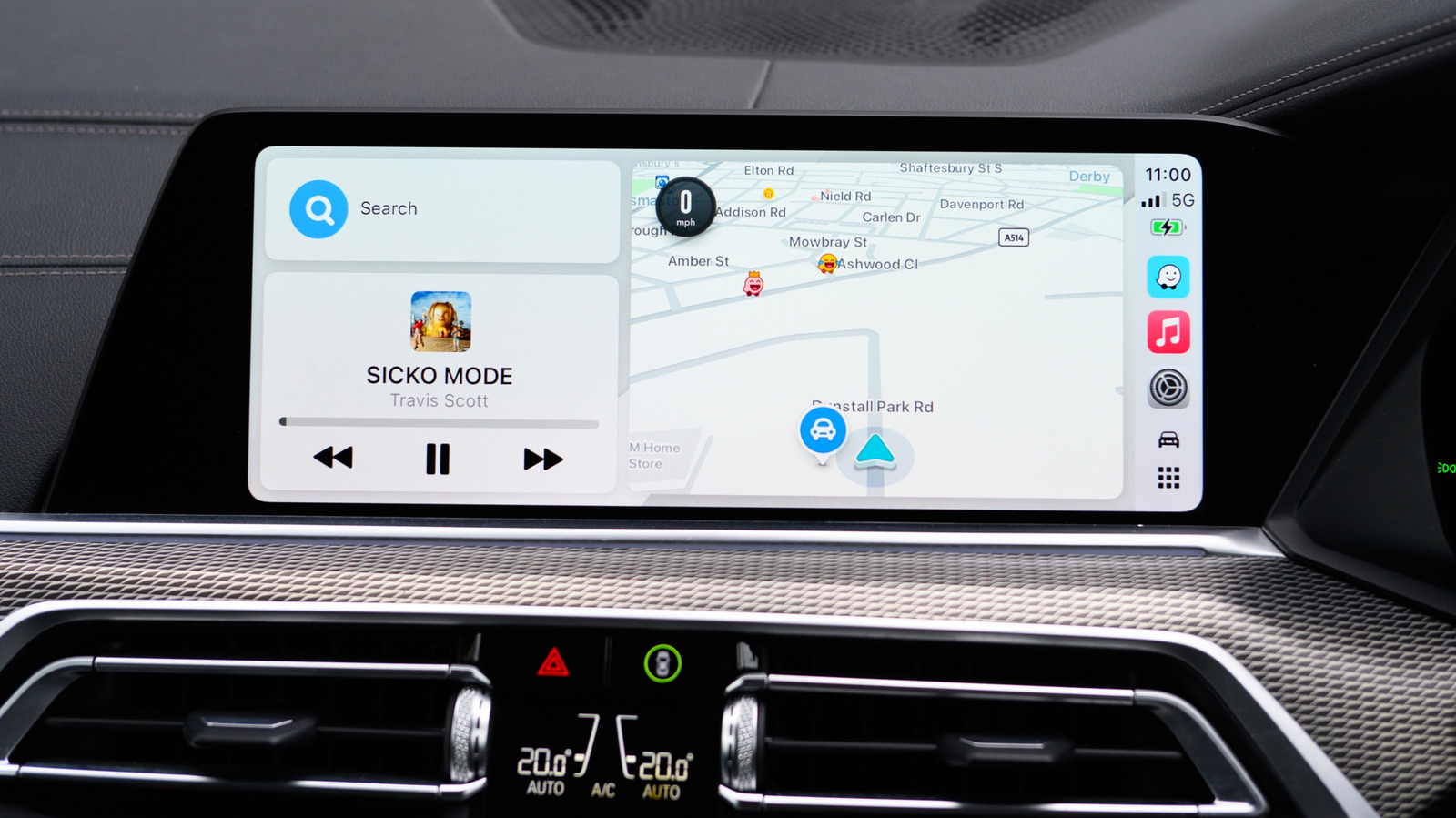
Apple CarPlay does not natively generate traffic enforcement notices on its own, relying instead on the navigation software running through the interface. Because CarPlay merely serves as a display conduit, drivers must enable speed trap and camera alerts directly within individual mapping tools like Apple Maps, Waze, or Google Maps.
For Waze users, camera notifications are active right out of the box, though they can be further customized. You must adjust these preferences on your phone prior to linking with CarPlay, as Waze only implements changes on your next active trip. Google Maps operates similarly, letting drivers toggle all alerts on through the CarPlay settings menu or report mobile traps on the fly. Apple Maps automates these notices entirely in supported locations without requiring a manual toggle switch.
Beyond camera locations, major navigation platforms also support speedometer and speed limit overlays directly on your dashboard display. Waze provides advanced warnings when speed limits are about to drop, whereas Google Maps tracks your current pace against local regulations. Third-party software like Radarbot, Roadar, and FlockHopper offer specialized coverage for red-light monitors and automated license plate readers.
Should you buy it? While you cannot purchase CarPlay itself as a standalone product, optimizing your phone's navigation settings is a free and essential step for any commuter looking to avoid speeding tickets.
Assessment: Integration of traffic enforcement warnings into in-dash systems highlights the ongoing shift toward software-driven driving assistance. While these alerts help drivers maintain legal speeds, their accuracy remains dependent on crowdsourced data and timely user reports. As automotive interfaces evolve toward deeper dashboard integration, managing these software settings correctly ensures safer and more informed transit.
Source engadget.com — engadget.com/2313915/how-to-get-speed-camera-alerts-carplay/ ↗
Read next
 🏠Smart Home
Area Launches Stakuri Plus: A Compact Phone Stand Packed With 17 Cleaning Tools
Japanese brand Area has released the Stakuri Plus, a portable smartphone stand that doubles as a comprehensive 17-in-1 electronics cleaning kit for roughly $16.
 📱Phones
Understanding Sudden Phone Battery Drops: Causes and Fixes
Experiencing rapid battery percentage drops on your phone can be frustrating, but the issue usually stems from aging lithium-ion cells, background software processes, or …
 💻Laptops & PCs
What Actually Happens When Your Laptop Battery Drains to Zero
Allowing your laptop battery to completely drain can cause gradual degradation over time, though occasional depletion will not instantly ruin your device.
 ⌚Wearables
Seiko Launches Limited-Edition Touch Chronograph Featuring Unique Baseball-Themed Dial
Seiko has released a 45th-anniversary chronograph celebrating the baseball manga Touch, limited to 4,500 pieces and priced at roughly $412.
 💻Laptops & PCs
Microsoft Details Project Helix, Emphasizing Console Simplicity Over PC Complexity
Microsoft has shared fresh details on its upcoming Project Helix hardware, stressing that the next-generation machine will function primarily as a console while running P…
 📱Phones
Apple Continues Refining the iPhone Messages App with New Software Updates
Apple has rolled out a series of enhancements to the iPhone Messages app across recent software cycles, including improved RCS support and performance upgrades.