Why You Should Never Blow on Your Camera Sensor
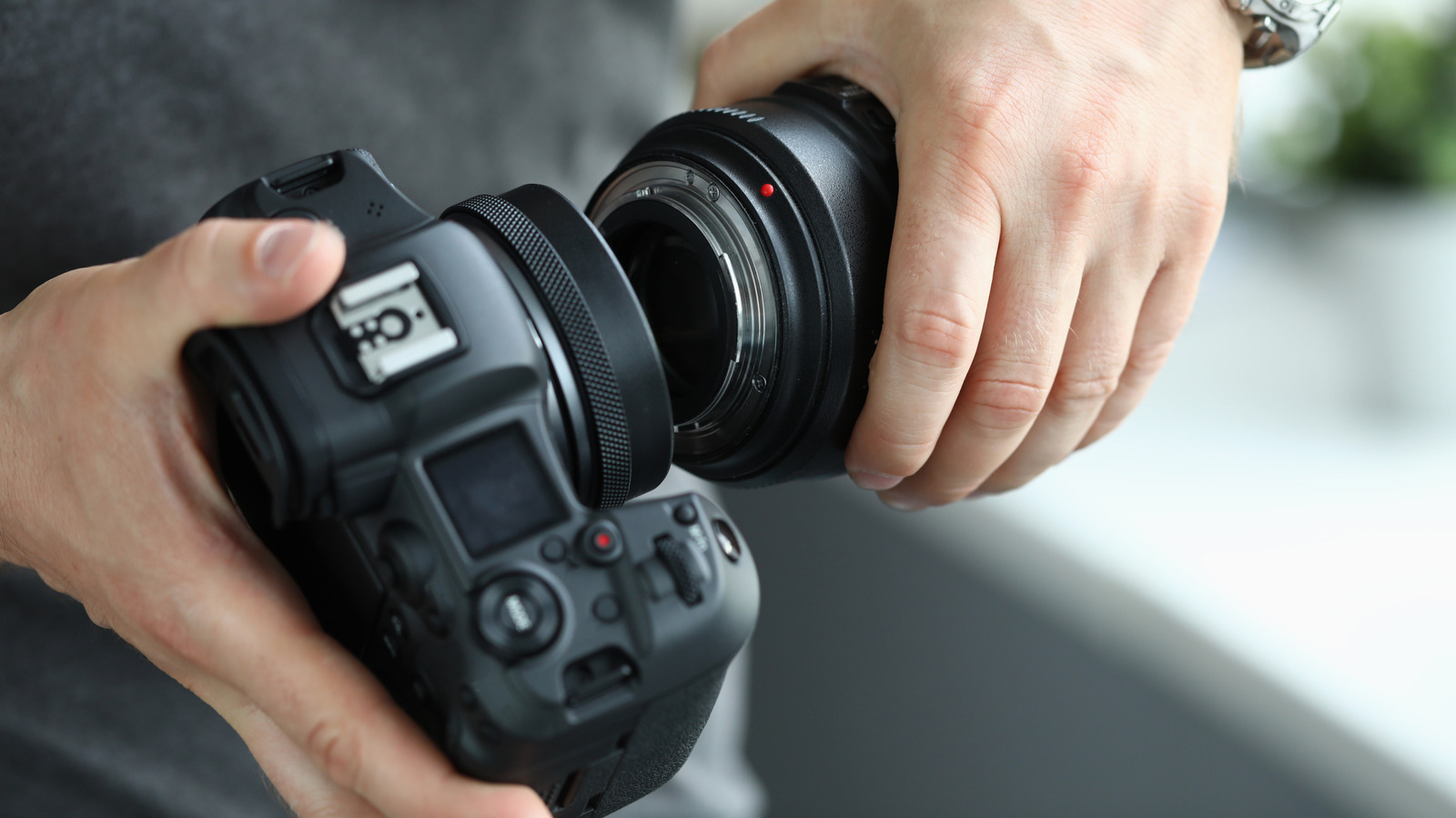
Switching camera lenses often leads to dust accumulation, but using your breath to clear the sensor can cause permanent moisture stains and costly repairs.
 🏠Smart Home
Photo: engadget.com
Key points
- Never blow directly on a camera sensor with your mouth to avoid saliva stains
- Utilize built-in camera vibration settings for automated dust removal
- Use a rocket air blower while pointing the sensor downward to harness gravity
When swapping lenses on interchangeable camera bodies, accumulating dust particles on the internal sensor is virtually unavoidable. While spotting a speck of dirt after reviewing photos can be frustrating, experts warn that blowing directly onto the exposed sensor using your mouth is a critical mistake. Saliva droplets introduced during this process can create stubborn stains that appear across all future images, frequently requiring professional intervention or advanced wet-cleaning techniques to resolve.
To safely clear debris without risking liquid damage, users should first explore built-in cleaning mechanisms found on most modern digital cameras. These systems utilize internal vibrations to shake loose dust particles and can often be automated through the device settings menu to run every time the camera powers on or off.
Should manual intervention still be required, photographers should rely on a dedicated rocket-shaped air blower rather than compressed air cans or breath. For optimal results, point the camera sensor downward toward the ground while operating the air puffer so that gravity prevents dislodged particles from resettling. If standard air cleaning fails to remove stubborn debris, taking the equipment to a professional service center remains the safest option to avoid scratching delicate internal components.
Always tilt the camera sensor toward the ground while using an air blower so gravity helps remove particles permanently.
Should you buy it? While no purchase is required to fix this issue, investing in a proper rocket air blower is an essential, low-cost addition to any photographer's maintenance kit.
Source engadget.com — engadget.com/2313770/camera-sensor-cleaning-mistake-to-avoid/ ↗
Read next
 ⌚Wearables
Apple Launches Health AI Study App for iPhone and Apple Watch Users
Apple has rolled out a dedicated application for its new Health AI Study, inviting US users to examine how people interact with conversational medical tools.
 💻Laptops & PCs
How to clear app caches on your Mac to free up storage and fix glitches
Learn when and how to manually clear application caches on your macOS device to reclaim valuable storage space and troubleshoot software glitches.
 🧭Buying Guides
Cloud vs. Local Storage: Which Backup Method Fits Your Gadgets Best?
A detailed comparison of cloud storage services like iCloud and Google Drive versus physical local drives, weighing access, costs, and reliability.
 🧭Buying Guides
Zelda: Ocarina of Time Remake Review Sparks Metacritic Debate
A single mixed review for the upcoming Zelda: Ocarina of Time remake on the Switch 2 has dropped its Metascore from 96 to 95, igniting backlash from fans.
 📱Phones
Understanding Sudden Phone Battery Drops: Causes and Fixes
Experiencing rapid battery percentage drops on your phone can be frustrating, but the issue usually stems from aging lithium-ion cells, background software processes, or …
 💻Laptops & PCs
What Actually Happens When Your Laptop Battery Drains to Zero
Allowing your laptop battery to completely drain can cause gradual degradation over time, though occasional depletion will not instantly ruin your device.